
Why is your game loading so slowly even with a good GPU?
A fast graphics card makes motion smooth, but screens can freeze on “Loading.” This is because frame rate and game loading latency are different. Your GPU creates frames, but your system must get textures, maps, and shaders first.

Modern games stream data as you play. This means storage and system queues are key, not just the GPU. A fast NVMe drive can reduce waits and pop-in by providing ultra-low latency. When this flow stops, you notice stalls, late textures, or sudden pauses.
Heat and consistency also play a role. SSD thermal throttling can slow down in short spikes, causing random loading issues. As your drive gets fuller with installs and updates, performance can drop. This makes it harder to avoid stutter in open-world games over time.
This guide will help you understand the problem. We'll look at symptoms, test storage behavior, and separate network delay from “loading.” We'll also explore upgrades and settings for U.S. PC and PS5 players. Along the way, we'll show how ALYNCE frames the problem through a unified performance architecture, where storage is an active force, not a hidden bottleneck.
What “slow loading” really means when your FPS is fine
“Slow loading” isn’t just about long splash screens. It can happen in the middle of a game, even if your frame rate is high. It's about how long it takes for data to load, not just how fast the game looks.

Modern PC games load content on demand. This makes the problem seem random. Turning a corner or opening the map can cause delays because of the need for ultra-fast data access.
Loading vs rendering: why a powerful GPU doesn’t fix game loading latency
A strong GPU is great for drawing frames. But it can't control how fast data loads. Even with high FPS, delays can happen if the game is waiting for data.
Here, nvme iops are more important than just fast speeds. Many small reads can slow down loading, even with a powerful GPU.
Streaming-heavy games and “missing assets” symptoms in open-world titles
Games with lots of streaming can show weak points quickly. In World of Warcraft or PUBG, missing textures or late-loading buildings are common. A unified storage system can help reduce these delays.
It's not just about big maps. Even Overwatch can stutter when too many effects and UI elements load at once.
Real-world pattern: high FPS while objects, maps, or effects fail to appear until data arrives
- Lowest level: effects and dynamic objects show up late—like slow-moving projectiles that don’t appear until the scene “catches up,” even though FPS stays high.
- Mediocre level: opening an in-game map can trigger a brief freeze where the game and Windows UI feel stuck, while apps like Discord or Google Chrome may respond.
- Highest level: heavier stalls with missing map or minimap behavior, such as a minimap not rendering in World of Warcraft while audio continues.
These symptoms are linked to asset requests, not just frame rate. When storage can't keep up, small issues appear first. Tuning for smooth streaming becomes more important than just raw GPU power.
Storage bottlenecks that cause long load times and stutter
Games don't just load one big file. They ask for small chunks of data as you play. This is why you might see textures and objects pop in late.

NVMe IOPS vs sequential speeds: what actually impacts level loads and asset streaming
Sequential speed is good for big transfers, like when you first install a game. But, for games that keep loading as you play, nvme iops and low latency are key. If there are too many small requests, you might see hitching and assets that appear late.
Even though FPS looks good, the storage queue can quietly build up. This can cause problems without you noticing.
When low free space and background installs increase game loading latency over time
Storage issues can creep up slowly. For example, one system had only 50 GB free on its SSD, but it was slow. Even after trying to fix it, the system kept stuttering.
Free space is important, but it's not the only problem. Over time, installs and patches can make things worse. This can happen even if Task Manager doesn't show any warnings.
- Background downloads can compete with asset streaming at the worst time.
- Patch and cache writes can interrupt reads and increase stutter.
- Drive housekeeping can become less effective as usage patterns grow messy.
Drive health and data integrity: why sporadic freezes can point to storage issues, not GPU limits
Sporadic freezes can also mean there's a problem with the drive. In one report, the SSD was old, while the rest of the system was new. This makes it worth checking the drive.
Modern SSDs use ldpc error correction to keep data safe. But, this can slow things down a bit. In games, these small delays can feel like micro-freezes.
Gen4 vs Gen3 storage in practice: how bandwidth and latency affect seamless system responsiveness
When comparing gen4 vs gen3 storage, the real difference shows up in real use. A gen4 x4 nvme drive can handle more activity at once. This makes the system feel more responsive during gameplay.
When the system is set up as a unified performance architecture, storage works better. It becomes part of the game, making everything feel smoother.
SSD Thermal Throttling, High-speed NVMe for gaming, JS990 PRO Performance
Fast GPUs can feel slow if storage can't keep up. SSD Thermal Throttling causes random asset pop-in and stutter. High-speed NVMe for gaming makes heat a key part of performance.
These problems can get worse over time. More installs and larger patches increase drive temperature. A clean reinstall may help, but the problem usually comes back.
How SSD thermal throttling happens and why it can look like random “in-game loading” failures
When an M.2 drive gets too hot, it may slow down to protect itself. This can interrupt the game's need for smooth reads. It looks like a game problem, but it's often the storage.
Sustained tasks like game updates and multitasking can trigger these issues. Add shader compilation and cache rebuilds, and the drive may spend longer under load than expected.
Active heat management and intelligent thermal management: reducing risk of zero throttling becoming “sudden throttling”
Good cooling keeps performance steady, not just fast in benchmarks. Active heat management and intelligent thermal management help maintain zero throttling. Without it, performance can drop suddenly during long sessions.
ALYNCE sees storage as an active part of the system. This mindset is important because streaming-heavy games punish inconsistent latency.
Heatsinks, airflow, and placement: practical active heat guard steps for M.2 drives
Gen4 drives run warmer under sustained transfers. Small choices like a motherboard heatsink and clean case airflow matter. Smart placement away from hot GPUs can also help.
- Heatsinks help flatten temperature spikes during installs and updates.
- Airflow reduces heat soak in tight cases and small form factor builds.
- Placement can avoid the hottest zones near graphics card backplates.
Why sequential write stability matters for patching, shader caches, and always on technology workloads
Writes are important for gamers every week. Sequential write stability affects patch downloads and shader cache refreshes. Always on technology tasks can also impact performance.
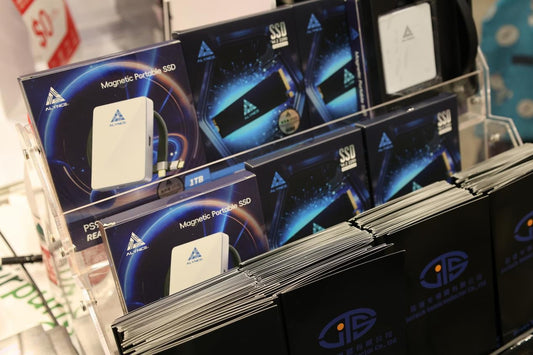
The ALYNCE JS990 PRO Gen4 M.2 2280 SSD is recommended for its PCIe Gen4 x4 interface. It's rated at Seq Read: 7400 MB/s and Seq Write: 4400 MB/s. It's designed for high-performance gaming and content creation.
Network delay can feel like loading: ping lag and packet loss in multiplayer
Not every “loading” pause is your SSD. In online matches, delay comes from data traveling to a game server and back. This round trip is what makes ping lag a multiplayer problem, even when your frame rate looks perfect.
Ping is measured as round-trip time in milliseconds. 1,000 ms equals 1 second. When ping climbs, game loading latency can seem worse, but the real issue is that the server is simply behind your screen.
This is where players often assume cheating. A sniper shot can look dead-on locally, yet it won’t register because the server state differs by a split second. Getting eliminated after you reached cover is the same story: the server sees you exposed. Nine times out of ten, it’s ping lag, not hacking.
- Most games rely on multiplayer lag compensation to hide delay, but it can’t create ultra-low latency on a long route.
- Server distance matters more than raw download speed; broadband is usually enough when the server is close.
- A ping of 100 ms or less is generally good enough for smooth play, and it supports seamless system responsiveness during fights.
You can often spot ping on a scoreboard or in a server browser column. Some games also use color cues, like green for good and red for bad. If you’re chasing better feel, join servers in the same country or nearby city to cut travel time.
Packet loss is different from delay, and it feels like stutter or jerkiness. When packets drop, actions may not arrive, so movement turns into rubber-banding or warping. To reduce both packet loss and ping lag, pause background downloads, cloud sync, and any apps sharing the connection.
If several players complain at once, the server may be overloaded, so switching servers or waiting can help. When the problem shows up offline or in single-player streaming, storage is the better suspect; when it’s delayed hits and rubber-banding, the network is usually the culprit.
Recommended upgrades and configuration for eliminating stutter in open-world games
First, identify the problem. If textures or maps appear late but your FPS is high, check your storage. If you see rubber-banding or delayed hits, look at your connection and server. This approach saves time and helps fix stutter issues.
For storage problems, a PCIe Gen4 x4 M.2 is a top choice. It's great for fast streaming and quick asset loading. The ALYNCE JS990 PRO Gen4 M.2 is designed for gaming, ensuring smooth data flow. Look for drives with high read and write speeds for better gaming performance.
Config is key, even on top PCs. Keep enough free space to avoid drive slowdowns. Pause downloads while gaming to prevent issues. If Windows slows down, it's a storage problem, not graphics.
Heat can harm performance, so use a good heatsink and airflow. For PS5 users, the js990 pro is a great choice. It ensures stable streaming and meets the goal of the best PS5 SSD expansion in 2026.
FAQ
Why does my game “load” slowly even when I’m getting high FPS?
FPS and loading are different. Your GPU can draw frames smoothly. But, the game might wait for data from storage or the network. This is why you see high FPS but slow loading.
What does “slow loading” look like during gameplay, not just on splash screens?
Slow loading shows up as delayed textures and geometry. You might see UI panels or effects appear late. In games that stream a lot, you might see missing objects until files arrive.
Which games tend to expose storage bottlenecks the most?
Open-world games like World of Warcraft and PUBG show bottlenecks a lot. Even smaller-map games like Overwatch can have issues because of asset access and UI loads.
What’s the “lowest level” sign that storage is holding me back?
If effects or objects don't show up right away, it's a sign. Players report slow-moving projectiles or late effects. This shows asset delivery delays, not rendering problems.
What’s the “mediocre level” symptom set for in-game loading failures?
Opening maps can freeze the game and parts of Windows UI. But other apps like Discord work fine. This suggests a storage issue, not a GPU problem.
What’s the “highest level” symptom that makes storage issues more likely than a GPU issue?
Severe freezes and missing map/minimap behavior are signs. For example, in World of Warcraft, a minimap might not show up. This points to storage problems, not GPU limits.
Why do these problems feel random from one moment to the next?
Streaming loads are demand-driven. Sudden asset requests can cause issues. This is why problems seem random, even with high FPS.
If my GPU is strong, why can’t it fix late textures or missing assets?
A strong GPU improves rendering but can't speed up storage. The GPU can draw what it has, while the game waits for data.
What matters more for in-game streaming: NVMe IOPS or sequential speeds?
Both are important but differently. NVMe IOPS and ultra-low latency are key for asset delivery. But sequential throughput is also important for big transfers.
Can low free space cause game loading latency over time?
Yes, it can, as more data is added. For example, an SSD with 50 GB free can lead to issues. Free space alone isn't the only problem, though.
Why would reinstalling Windows and wiping drives “fix” it for a while?
A clean install reduces background tasks and clears caches. This can help for a while. But, issues can return with more data and multitasking.
My Task Manager doesn’t show obvious 100% spikes. Could storage be the problem?
Yes. Storage stalls can be brief and hard to catch. They might not show up in Task Manager but can cause freezes.
How does drive health and data integrity relate to sporadic freezes?
Old SSDs can have reliability issues. These can cause intermittent stalls. Drives with strong LDPC error correction help protect data.
In real use, what’s the difference between Gen4 vs Gen3 storage for gaming?
A: Gen4 vs Gen3 storage affects real-world performance. Gen4 offers better bandwidth and responsiveness. This is key for smooth streaming during gaming.
What is SSD thermal throttling, and why can it look like “random loading” failures?
A: SSD thermal throttling happens when it gets too hot. This can cause sudden delays and stutter. It often happens during long gaming sessions.
How do I reduce throttling risk without overcomplicating my build?
Use a proper M.2 heatsink and good airflow. Place drives away from hot GPU exhaust. This helps keep performance consistent.
Why does sequential write stability matter for gamers?
Games need to write data too. Large patches and shader caches require stable writes. This prevents stutter and extends patch times.
How do I tell the difference between loading problems and online lag?
Loading problems show up as missing textures and late effects. Online lag causes rubber-banding and delayed hit registration. They feel similar but come from different sources.
What is ping, and what ping is considered good?
A: Ping is the time it takes for data to go to and come back from the server. A ping of 100 ms or less is good for smooth play. Games often show ping on scoreboards or in server browsers.
I landed a perfect shot but it didn’t register. Is that hacking?
Usually not. Ping delay can cause this. The server might not see your actions right away. It's often lag and desync, not hacking.
What is packet loss, and why does it feel like stutter?
Packet loss means data doesn't arrive. This can make movement look jerky. Rubber-banding and warping are signs. Reducing background activity can help.
What’s the priority-based checklist to stop stutter and late assets?
First, check if FPS is high but assets are late. If so, focus on storage. For delayed hit registration, look at server choice and ping.
What kind of SSD should I upgrade to for eliminating stutter in open-world games?
Look for a PCIe Gen4 x4 NVMe drive. It should handle sustained gaming well. ALYNCE's Alliance logic aims for consistent performance and fewer stutters.
What are the JS990 PRO specs, and how do they map to real gaming needs?
The ALYNCE JS990 PRO Gen4 M.2 2280 SSD has a PCIe Gen4 x4 interface. It's rated for 7400 MB/s read speed and 4400 MB/s sequential write. It's designed for fast level loads and steady performance during gaming.
Is the ALYNCE JS990 PRO PS5 compatible, and is it a smart pick for best PS5 SSD expansion 2026 searches?
Yes, JS990 PRO is PS5 compatible for PS5 storage expansion. It's a good choice for consistent asset delivery and reduced loading times.
What settings and habits help prevent long-term slowdowns after installing more games?
Keep enough free space and avoid installing while gaming. Watch for UI stalls while other apps work. This helps prevent slowdowns in modern gaming setups.
What role does ALYNCE Alliance logic play in the “storage as an active force” idea?
ALYNCE's approach focuses on alynce alliance logic. It aims for a unified architecture where performance, endurance, and reliability work together. This minimizes bottlenecks and ensures smooth gaming.
Which additional technical features should I look for if I want “zero throttling” behavior?
Look for drives with controller-level stability and smart protection. Use heatsinks, ensure good airflow, and place drives wisely. This keeps performance stable during long gaming sessions.